

Bring your own intelligence
stagewise works with models from any provider. You have three options:- stagewise Account — The fastest way to start. Access a large library of pre-configured models through the managed inference service. No API keys needed.
- Import your subscriptions — Already paying for Claude, GPT, Gemini, Kimi, Qwen, DeepSeek, GLM, or MiniMax? Bring your existing API keys and use them directly in stagewise.
- Custom & local providers — Connect self-hosted models via Ollama, LM Studio, OpenAI-compatible endpoints, OpenAI Responses endpoints, Anthropic-style endpoints, or other supported API styles. Full control, zero external API calls.
What is stagewise?
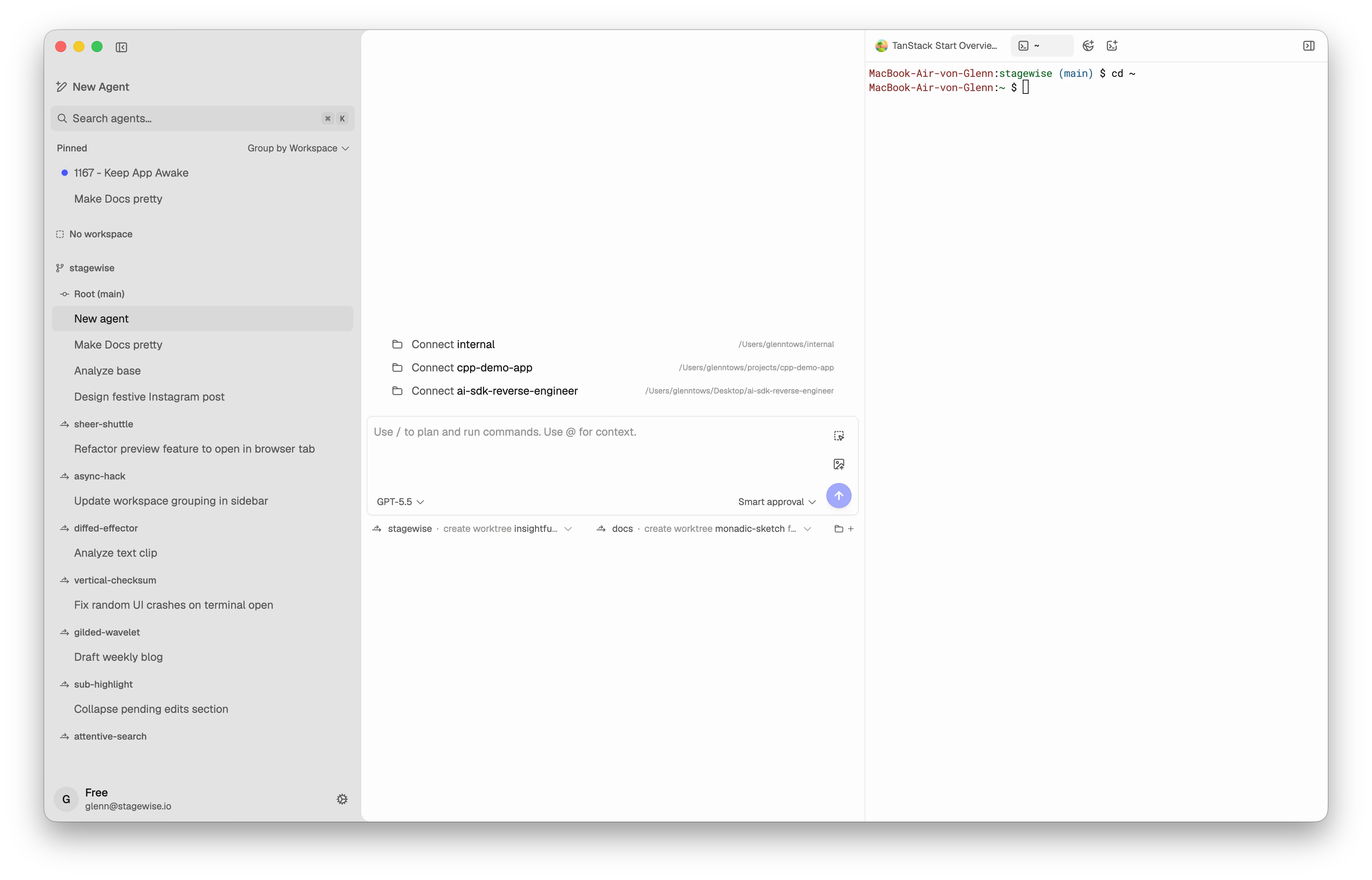
stagewise is not a browser extension or editor plugin. It’s a complete desktop agentic IDE:- AI coding agents operate directly on your filesystem — reading, writing, editing, and searching code across multiple workspaces
- Bring your own model — Start instantly with the stagewise Account model library, import existing provider subscriptions, or run local models through Ollama, LM Studio, OpenAI-compatible endpoints, OpenAI Responses endpoints, Anthropic-style endpoints, or other supported API styles
- Full browser engine — Preview apps, select DOM elements as agent context, and browse while agents work
- Multiple workspaces — Connect several project folders at once so agents can work across your full stack
- Skills & plugins — Teach agents project-specific patterns with SKILL.md files, and integrate with Figma, GitHub, Supabase, PostHog, Vercel, and more
- Design previews — Iterate on visual changes before modifying real code
- Diff review — Accept, reject, or undo every agent edit with full inline diffs
- Agentic by default — Agents think, use tools, and act in a reasoning loop — not just autocomplete
Who is stagewise for?
stagewise fits best when you need agents that work directly on your codebase with full context and real tools — not just inline suggestions.How the docs are organized
Getting Started
Download, install, and send your first prompt in minutes.
Core Concepts
Understand how agents work, what workspaces are, and the mental model behind stagewise.
Reference
Detailed configuration guides for every feature and setting.
Quick links
Install stagewise
Download for macOS, Windows, or Linux.
Import your subscriptions
Use existing provider API keys.
Local & custom models
Connect Ollama, OpenAI-compatible, OpenAI Responses, Anthropic-style, and other custom endpoints.
Skills & plugins
Extend the agent with custom instructions and integrations.
Your first prompt
Connect a workspace and start building.